Case study

Ocelli: meeting notes and dictation for the Mac and iPhone

ocelli.app
The Ocelli library on the Mac, a Liquid Glass window standing in a painted garden with a lit fountain: the meeting list on the left, the note Q3 Launch Sync open with its summary, topics and decisions.

Ocelli is my own app, and I build it alone. It records and transcribes meetings on the Mac and iPhone, writes the notes, and types what you say into any app.

Services

BrandIdentityArt direction
Product designMac appiPhone appKeyboard
EngineeringmacOS and iOS
LaunchWebsiteRelease film

Tags

  • Meetings
  • Dictation
  • macOS
  • iOS

Year

2026

Ocelli recording a meeting on iPhone: the Transcript tab, each line under its time.
The iPhone lock screen while Ocelli records: the Live Activity with the meeting, the last line it heard, Pause and Stop.

Notes are Markdown files

When the meeting ends, Ocelli writes the note: summary, decisions, action items with owners, open questions and the transcript with timestamps. On the Mac it's a Markdown file in a folder you pick, so it opens in Obsidian and works with Git.
The finished note on iPhone: Weekly product sync, the Notes tab with the summary and the decisions.
Further down the same note: Action items, each with its owner in brackets, one ticked, and the open questions.

Hold a key and talk

On the Mac you hold fn, talk, and the text lands at the cursor in whatever app is in front. It recognises the language as you speak, out of about 99.

On the iPhone it's a keyboard with a voice key, in five styles: Gel, Leather, Keycaps, Keyless and Standard.
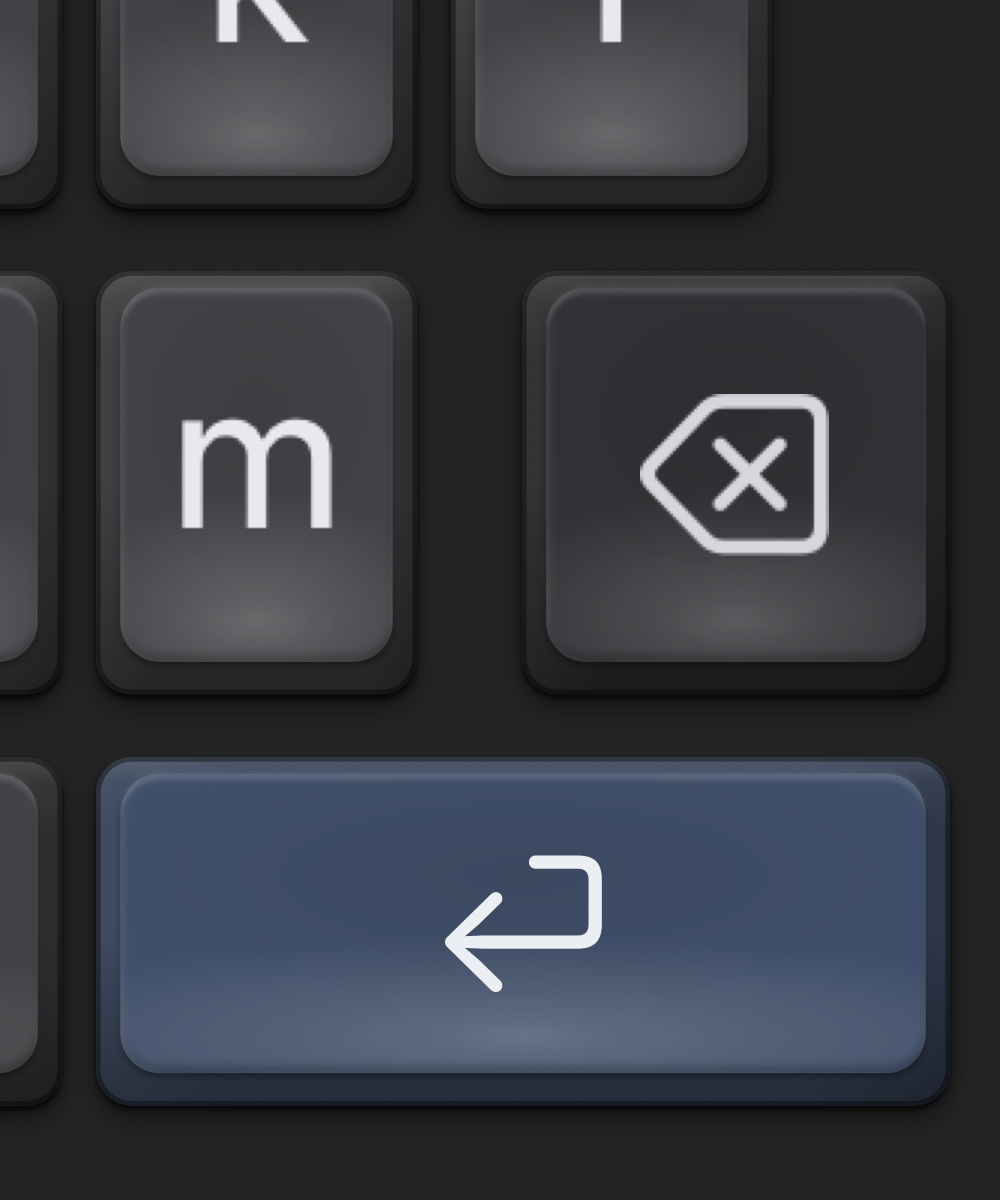

The Ocelli keyboard in Keycaps, dark, up close: the m key and delete as raised caps, the wide blue return key below them, the neighbouring keys cut by the edges.
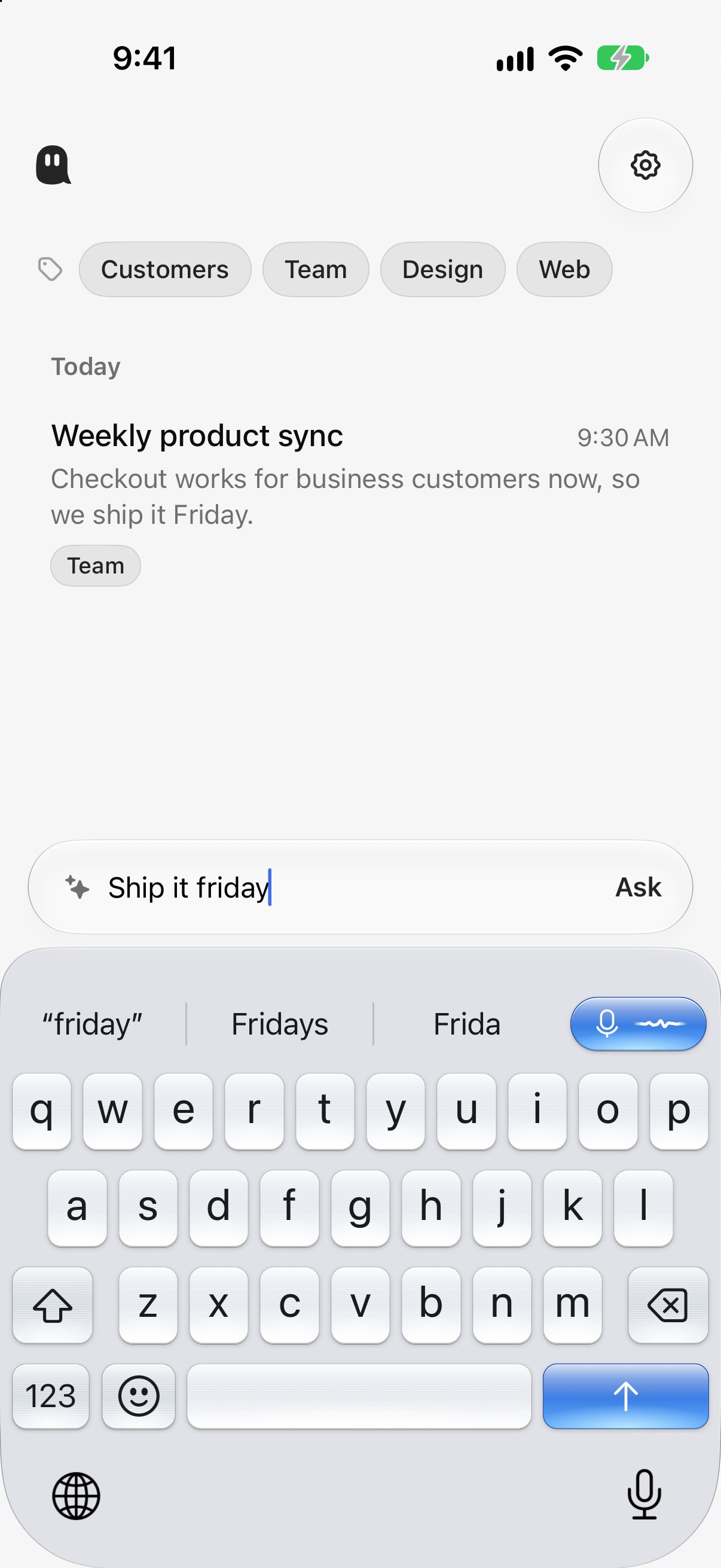
The Ocelli library on iPhone with Ship it friday typed into Ask on the Ocelli keyboard, suggestions above the keys.

Where the audio and notes go

Transcription runs on the Mac or iPhone that recorded the meeting, and the audio never leaves it. A paired Mac and iPhone sync their notes end-to-end encrypted.

To write the note, Ocelli sends the transcript to Ocelli AI or to your own provider with your own key. With Ollama it stays on your machine.

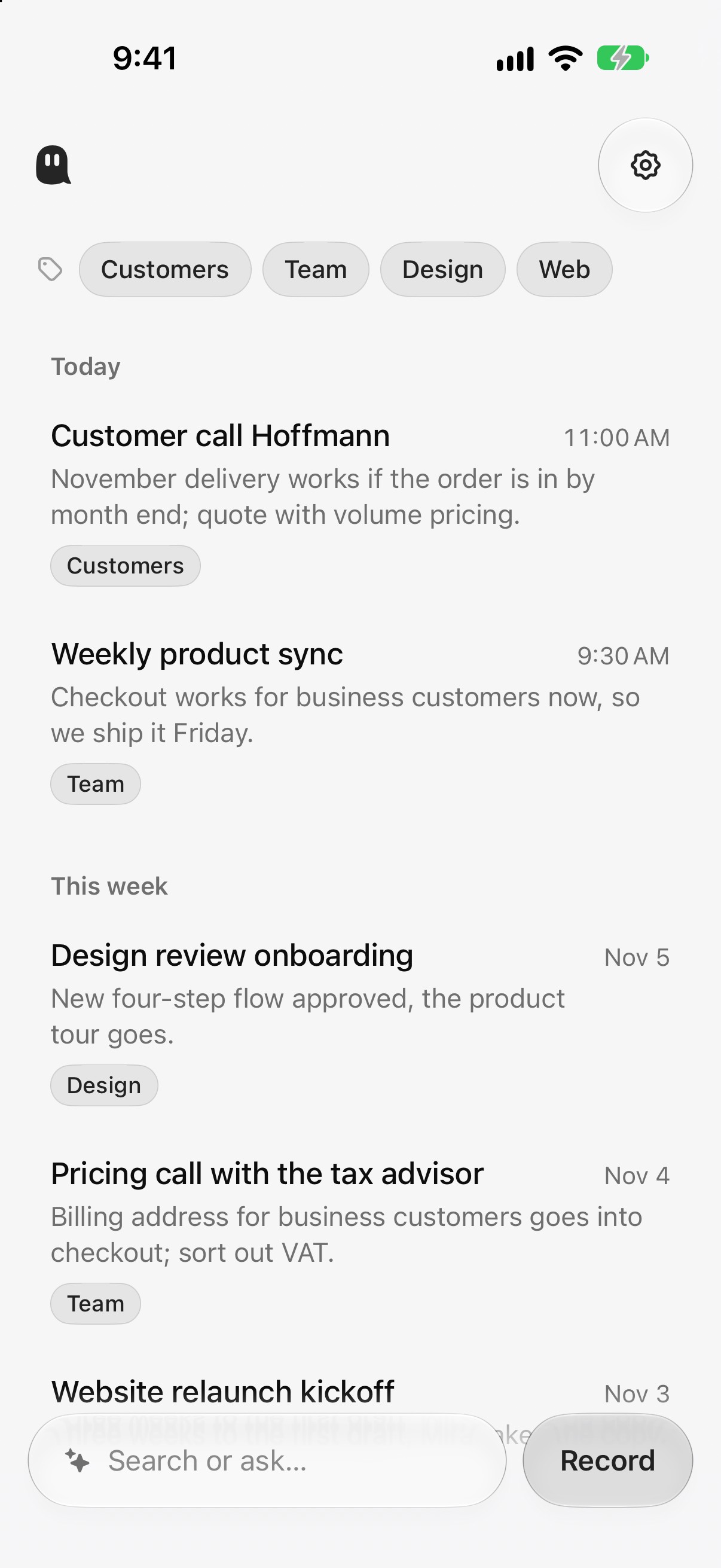
The Ocelli library on iPhone: tags, then every meeting with its summary line, grouped by day.
A lock with the Ocelli mark cut into pale marble between carved ornaments, the privacy picture of ocelli.app.

The website and the new name

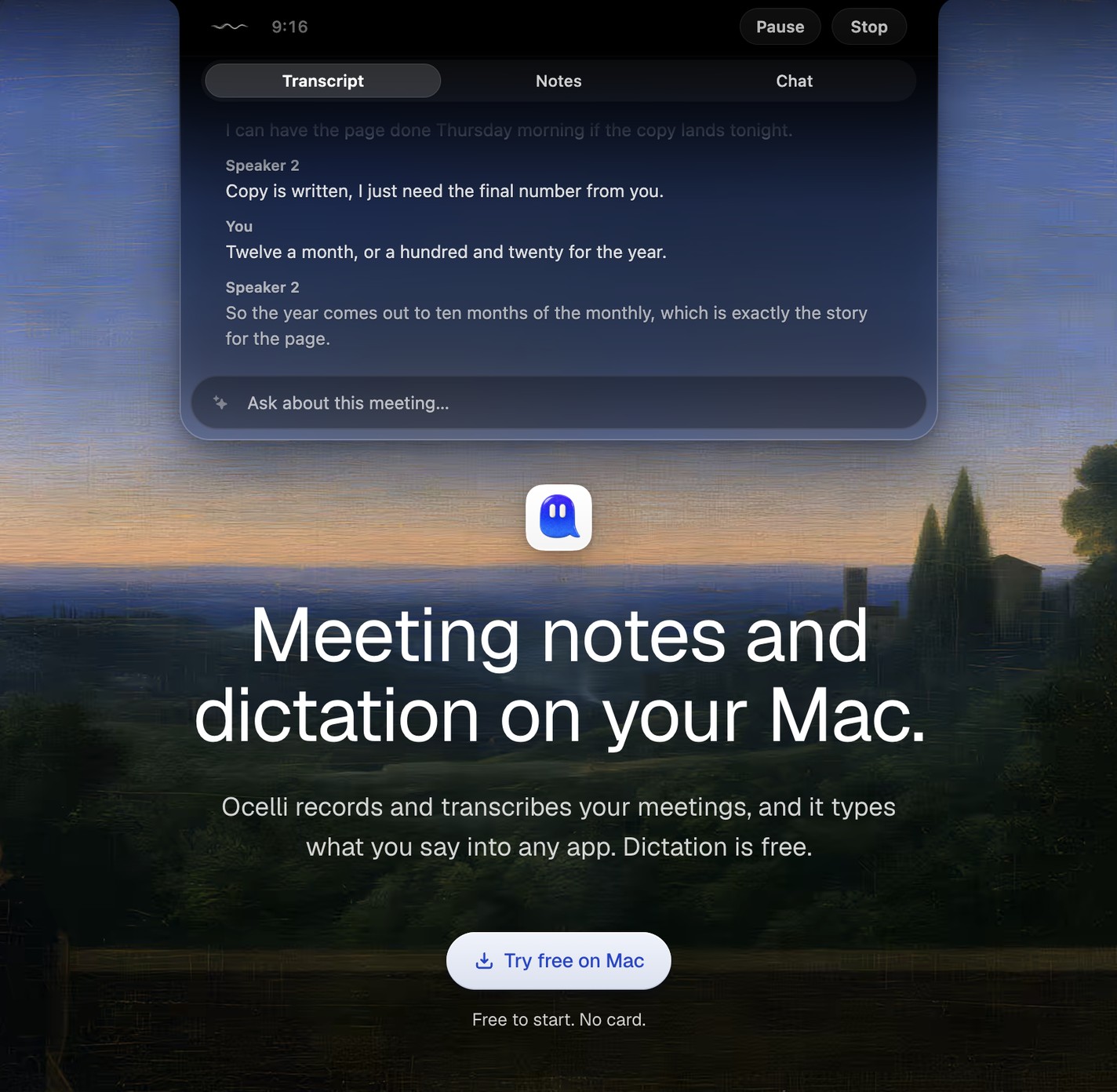
I set ocelli.app in the same painted world as the app. It opens on a loggia at dusk with the meeting panel hanging from the notch. Further down, a wall of the app's renders drifts sideways, the middle row the other way.

Ocelli used to be called Aside. I announced the new name with a short film of the new app icons.
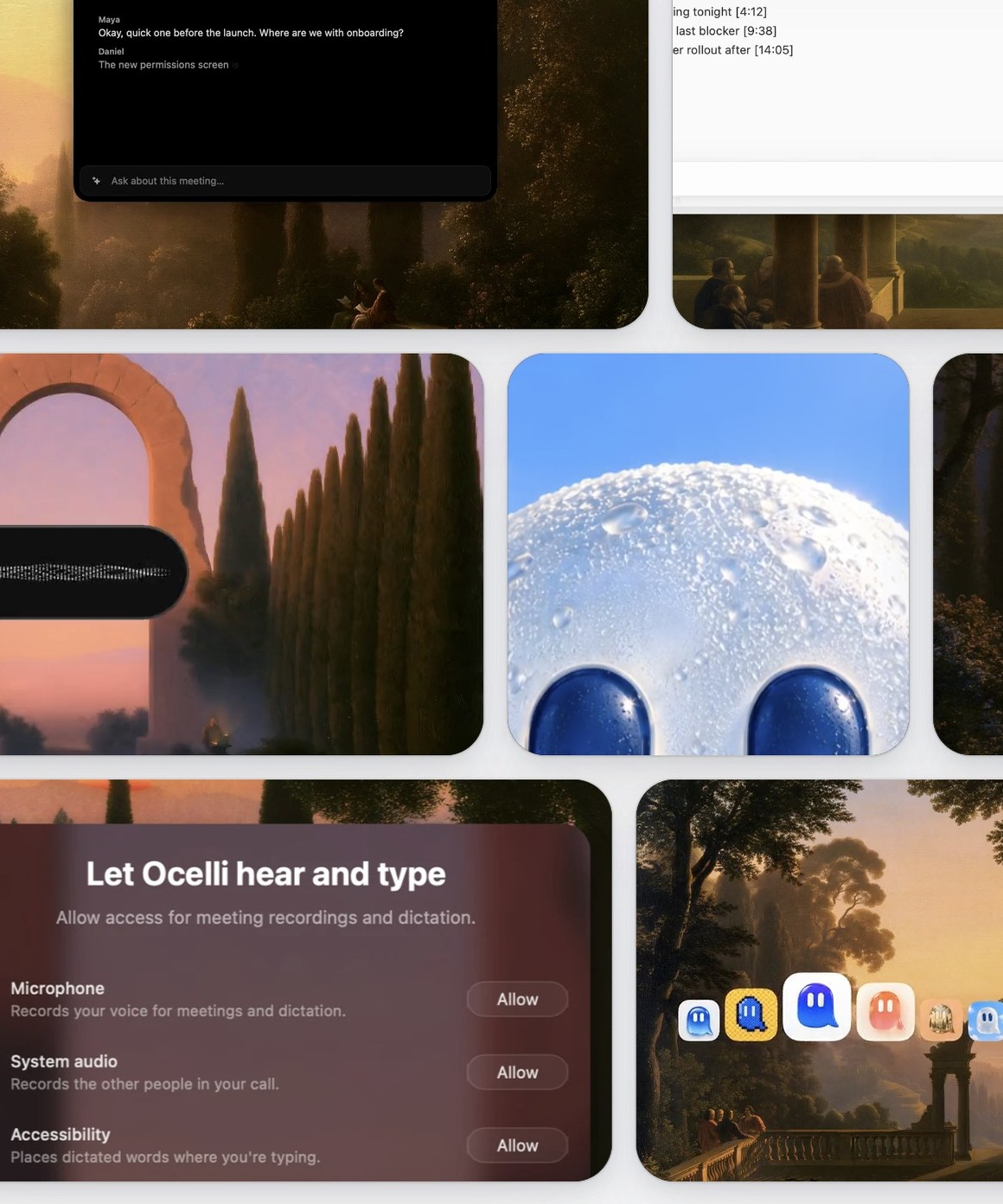
The drifting wall of ocelli.app: rows of the app's own renders, dictation pills, the glass panel, app icons and paintings.
The first screen of ocelli.app: a painted loggia at dusk, the Mac menu bar and the meeting panel with its live transcript hanging from the notch, the Ocelli icon and the line Meeting notes and dictation on your Mac.